

Hire from job description to a decision, with a reason for every score.
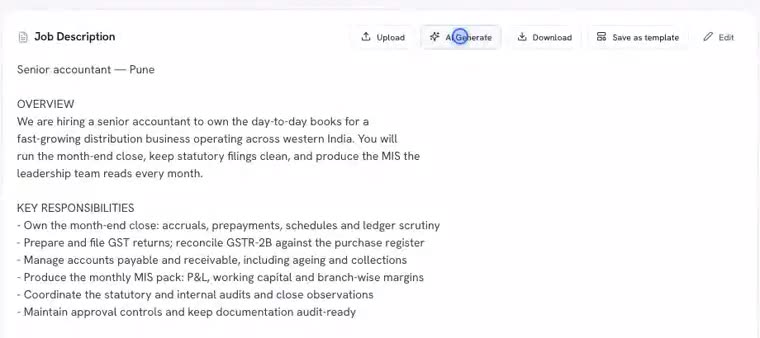
Six bullet points become a job description. Every application gets a match score and the reason for it. Interviews and the hiring decision run from the same screen.
Problems it takes off your desk
- The AI reads each CV against the must-haves you wrote in the JD
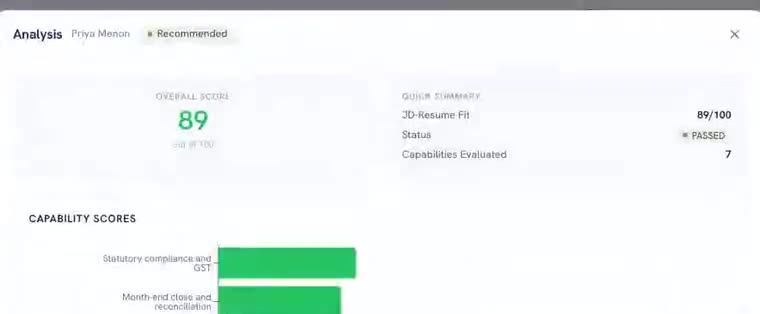
- A shortlist with reasons is waiting when you open the laptop
- Candidates below the bar are paused, not rejected. Marking them rejected is your call
- Plain-words reason: which must-haves matched, which did not
- Change any score; the original and your change both stay
- The log keeps the reason for as long as you keep the candidate's data
- You set the panel's slots once; the candidate picks one
- Invites and reminders go out by email, and on WhatsApp once it is connected
- Scorecards land on one page with an AI summary before the debrief
- Each panellist scores against the same capabilities, in the app
- An AI summary sits next to the scorecards, not instead of them
- The hiring manager approves; the app never decides on its own
One role, four steps.
Follow one role from the job description to the decision. Every tile below uses demo workspace figures.
Nobody types a CV into a form. Ever.
Applications arrive as PDFs and Word files. The app reads them and fills the profile; anything it is not sure about is left blank rather than guessed.
- Name, email, phone, experience and education read from the CV
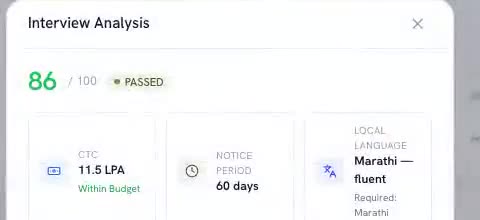
- Notice period and current salary come from the interview, not the CV
- Low-confidence values are dropped rather than shown as a guess
Your stages, your approvals.
Some companies want a founder call after screening. Some want HR to approve before a panel round. Add the rounds you need and set who approves them.
- Add, rename or remove stages from settings
- Approvals follow the roles and hiring manager you set, not a fixed template
- The AI interview can be held in Hindi or another language the candidate prefers
Meet the AI inside
Three agents, each with a narrow job, each showing its reasons.
- Reads every application against the must-haves
- Scores with a plain-words reason
- Advancing a candidate can wait for your approval
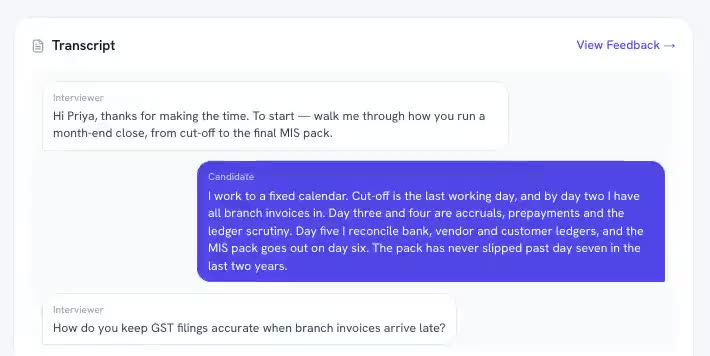
- Runs a live AI voice interview and asks its own follow-ups
- Leaves a transcript and a summary on the record
- Picks up the notice period and current salary from the conversation
- Offers the panel's open slots; the candidate picks one
- Sends invites and reminders by email, and on WhatsApp once connected
- Summarises every scorecard before the debrief
Questions people ask about AI Recruiter
How do candidates apply?
Your recruiter uploads CVs in bulk, or shares the interview link with a candidate directly. There is no public apply page today.
Can I disagree with a score?
Yes. Change it, add a note, move on. The original score, its reason and your change all stay in the log.
What happens to rejected candidates' data?
Rejected profiles are removed after the retention period an admin sets. A candidate can also ask for their data to be erased; the request is recorded before it runs.
Does it replace my recruiter?
No. It does the reading, scoring and scheduling. Your recruiter decides, talks to people and negotiates.